Series Picker Features

Series Picker can contain series thumbnails for both current and prior studies. These thumbnails are JPG representations of the DICOM images.

Feature and Icon

Description

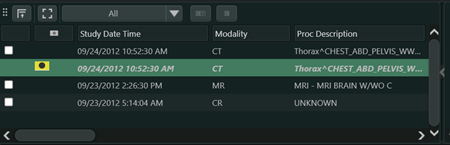
Studylist

  • Allows you to change the series thumbnails displayed in the Series Picker and to compare studies or deactivate a comparison.
  • See Studylist Overview for more information.

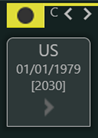
Current Study Box

  • Provides information about the current study. See Study Icons.
  • Hover over the study box to see more current study information.
  • Click Previous series set or Next series set to display the previous or next series set in the Viewer.

    • If Loop Next/Previous Series Set navigation in Series Picker and Anywhere Series Picker is checked in Configuring Series Picker Settings, you can loop through series set navigation to review a study as often as needed.
  • See Series Picker Overview.

Expand or Collapse Study Images

Expanded mode or Collapsed mode

  • Allows you to expand or collapse the display of study images.
  • By default, Synapse displays study images in expanded mode (all study images are displayed in the Series Picker; toggle switch is pointed to the right).
  • To collapse the display of study images, click within the study box. The toggle switch will point downward.
  • If multiple prior studies are displayed in the Series Picker:
    • To collapse the display of all opened studies, double-click within one of the study boxes.
    • To expand the display of a study, click again within the study box.
    • To expand the display of all opened studies, double-click within one of the study boxes.

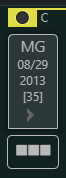
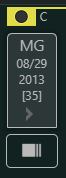
Group or Split MG Thumbnails


(Not shown in the screen shot above)

  • Allows you to group or split MG thumbnails for a study or all opened studies.
    • Click Group or Split to group or split thumbnails for a study.
    • Double-click Group or Split to group or split grouped thumbnails for all opened studies.
  • Note:
  • The Group or Split options only affect image thumbnails and do not impact how images display in the Viewer. When you open an MG study, Synapse groups the thumbnails by view position or by images taken in the same breast compression, depending on the user settings (see MG Series Settings). When the thumbnails are split, there is only one thumbnail per series.

Comparison (Prior) Study Box

(Not shown in the screen shot above)

All Images Thumbnail

  • Represents all images in a study.
  • Hover over the All Images thumbnail to see more information.

Bookmarks

  • Represents all the bookmarks for a study.
  • Hover over the bookmarks image to see more information.

Synapse 3D DICOM Series

(Not shown in the screen capture above)

Synapse 3D Report

(Not shown in the screen shot above)

Synapse 3D Snapshot

(Not shown in the screen shot above)

  • Represents a Synapse 3D Snapshot.
  • The Synapse 3D Snapshot icon can vary. For more information, see the Synapse 3D User Manual, available in the Synapse 3D application.
  • Displays after the Bookmarks thumbnail when available.
  • See Opening Synapse 3D Content from Viewer

Synapse 3D Movie

(Not shown in the screen shot above)

Synapse 3D Captured Image

(Not shown in the screen shot above)

Enhanced Labeling for MG Studies 2D Images

(Not shown in the screen shot above)

  • Label below the thumbnail provides insight into whether the 2D images in a series relate to a breast tomosynthesis series, and if any are synthetic.
  • See Labeling for Mammography Thumbnails.

Collapse

  • Hides the series thumbnails and Studylist.

Expand

  • Displays the series thumbnails and Studylist.

Delete Selected Series Checkbox

(Not shown in the screen shot above)

Check mark for Series Picker Thumbnails

(Not shown in the screen shot above)

Multiframe Indicator for Series Picker Thumbnails

(Not shown in the screen shot above)

  • Displays an indicator on the thumbnail when a series contains multiframe images.
  • See Show Indicator on Thumbnail for Multiframe images in Configuring Series Picker Settings.


Related Topics

Series Picker Overview

Studylist Overview

Changing Series Picker Thumbnail Size