MPR Quadrant Overview
Multiplanar Reconstruction (MPR) Quadrant view is a Synapse feature that quickly reformats the original image data into orthogonal reconstructions.
- The quadrant view opens in orthogonal mode when Orthogonal is the Plane Type under Quadrant view in the user settings.
- The quadrant view opens in double oblique mode when Oblique is the Plane Type under Quadrant view in the user settings
- Right-click the image and select MPR/3D > Switch Plane Type to switch between views.
-
As you scroll or move an axis in an image, Synapse automatically synchronizes and scrolls the images in the other views.
Orthogonal Quadrant View
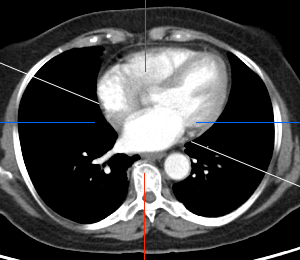
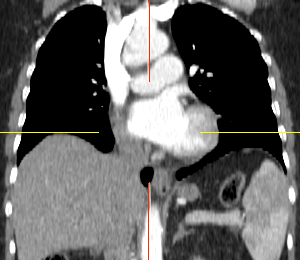
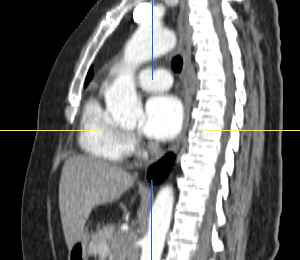
In orthogonal quadrant view, the reconstructions consist of axial, sagittal, coronal, and oblique planes.
Synapse places the reformatted views and original view into a 2x2 tile format in the Viewer as shown in the examples below.
|
Reformatted Axial |
Reformatted Coronal |
|
|
|
|
Reformatted Sagittal |
Reformatted Oblique |
|
|
|
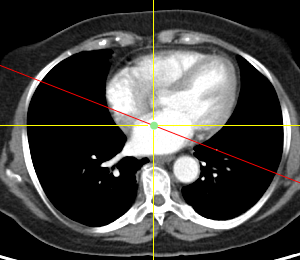
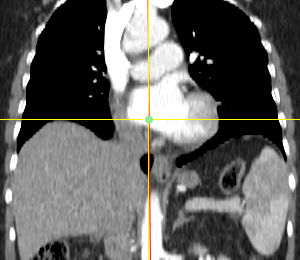
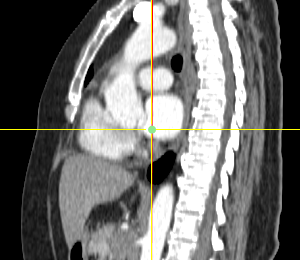
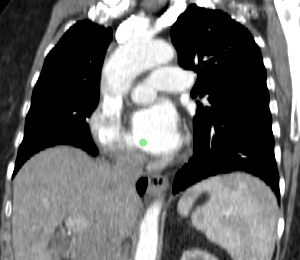
The yellow lines represent the horizontal and vertical axes. The red line displayed on an angle in the reformatted axial is the oblique axis.
Oblique Quadrant View
In oblique quadrant view, the reconstructions consist of Reconstruction 1, Reconstruction 2, Reconstruction 3, and Reconstruction (oblique) planes. Initially, Reconstruction 1, 2, and 3 will typically represent the axial, sagittal, and coronal planes, respectively. These might become oblique as you rotate the plane lines.
Synapse places the reformatted views and original view into a 2x2 tile format in the Viewer as shown in the examples below.
Reconstruction 1 | Reconstruction 2 |
|
|
Reconstruction 3 | Reconstruction (Oblique) |
|
|
Related Topics
Using the Double Oblique Function